How it works
Manage assets and routine checks across your organisation, with responsibilities organised to suit how you work. Follow corrective actions through to completion and keep the supporting records together.
Guided customer onboarding
Customer onboarding includes questionnaires, supporting evidence, document acknowledgements and signatures, with progress saved so customers can return to finish. Staff review submissions, request corrections and record approval.
Book a guided demo
Controlled documents and evidence packages
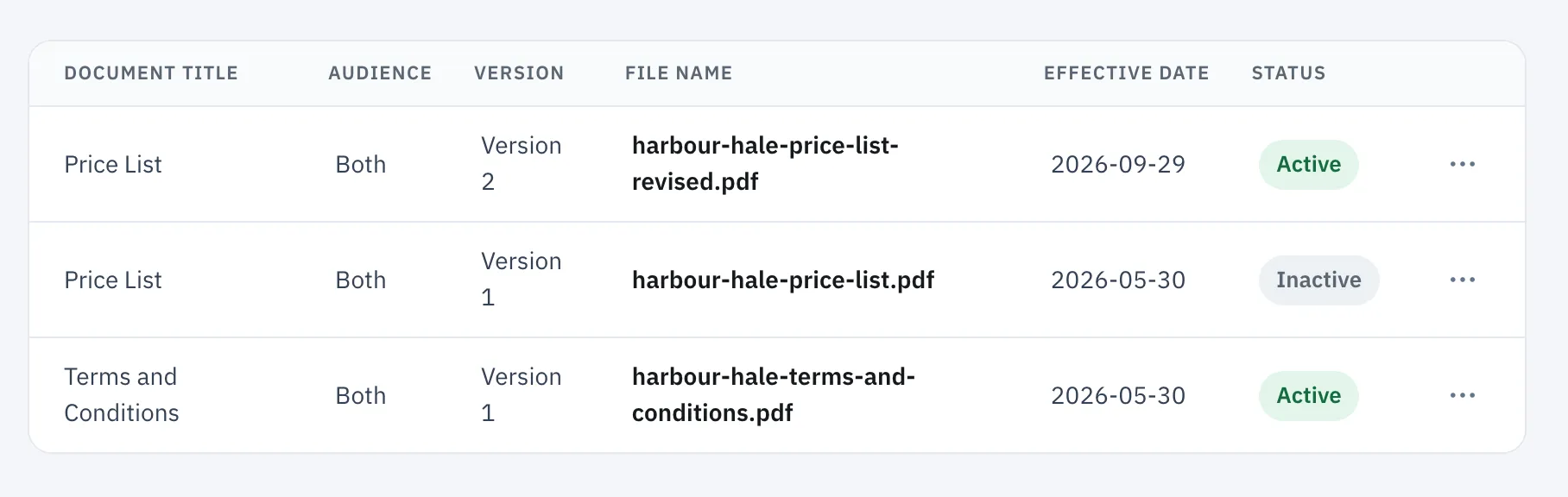
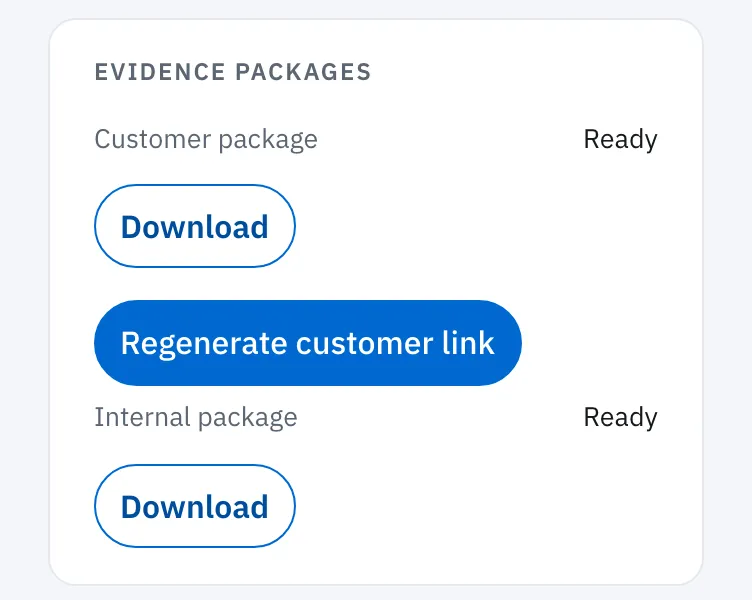
Keep agreements and documents with each customer's onboarding record, including the versions they accepted. Generate separate customer and internal evidence packages containing the information intended for each.
Access roles and branding
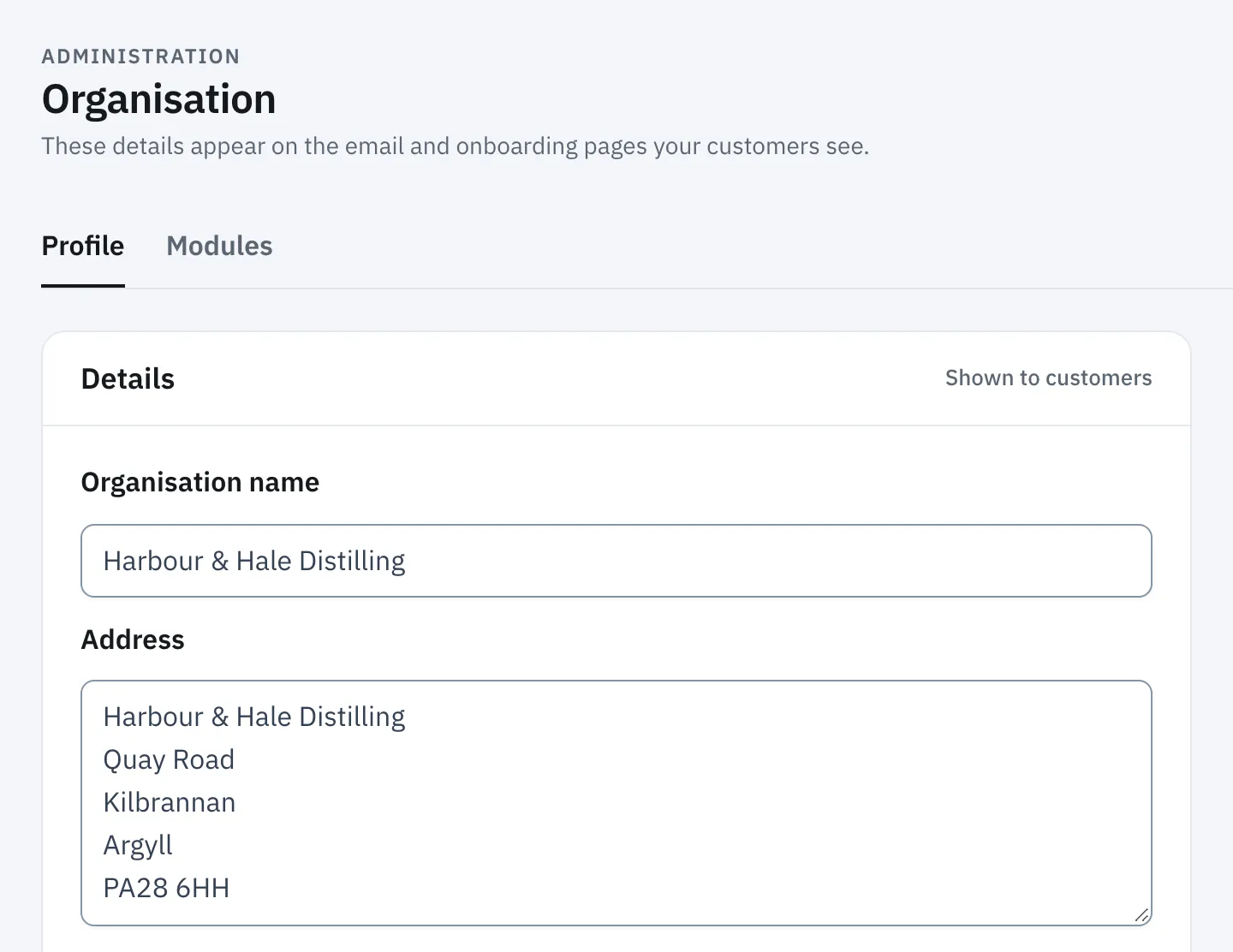
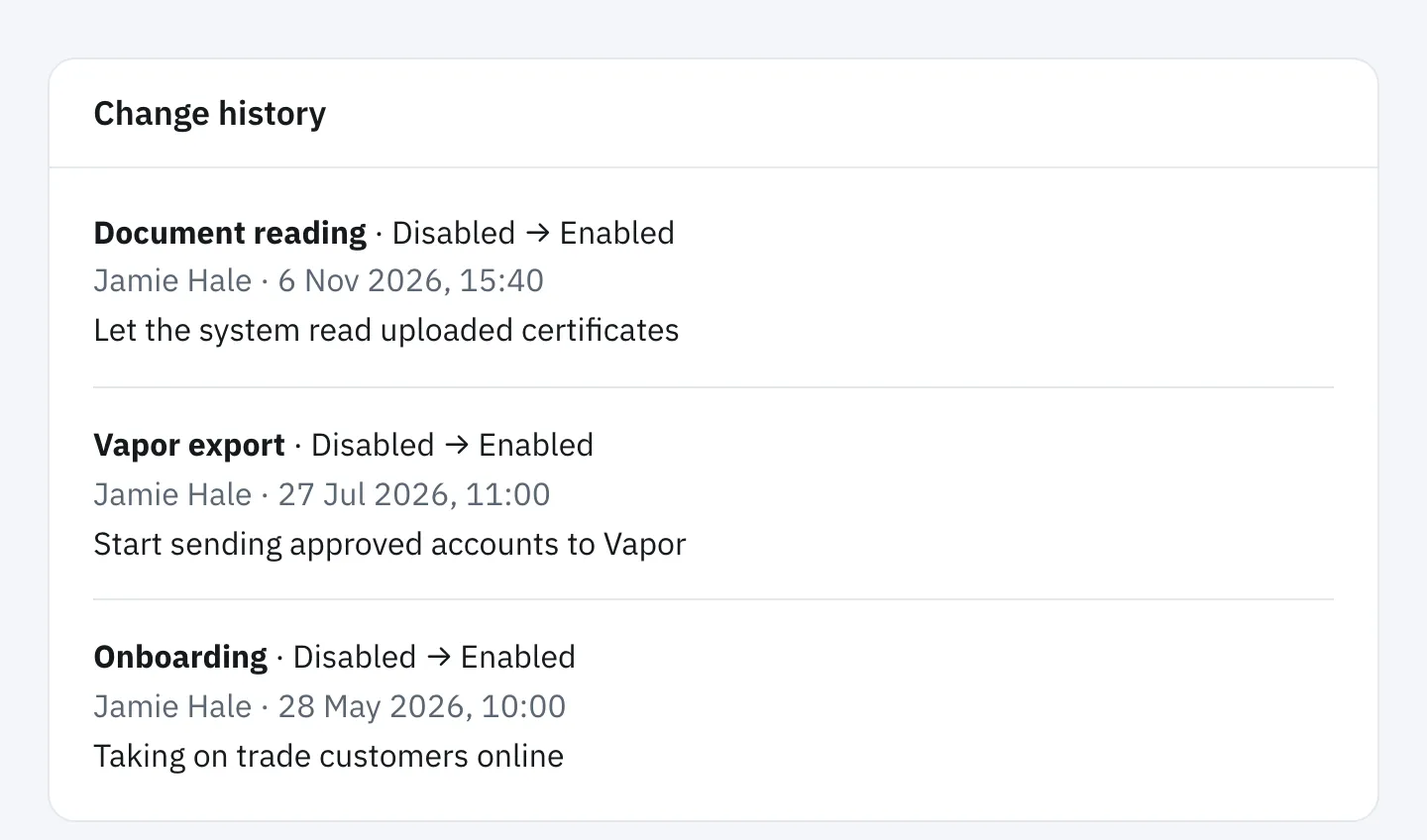
Give administrators, reviewers and operators access suited to their work. Include your organisation's details and logo in customer communications so customers can recognise who they are from.
Review checks across your sites
Site records and status
Track completed checks, defects, actions and certificates across sites. Filter by date to identify trends and the issues that need attention.
Search records and export reports
Filter by site, asset, check or date. Download reports with photos or export data for audits, management reviews and clients.

Designed around every asset, site and inspection
Scheduled checks
Set daily, weekly or monthly checklists for equipment or sites, with a time each check is due by. Today's board shows completed and overdue checks, along with who carried them out.
See it in a demo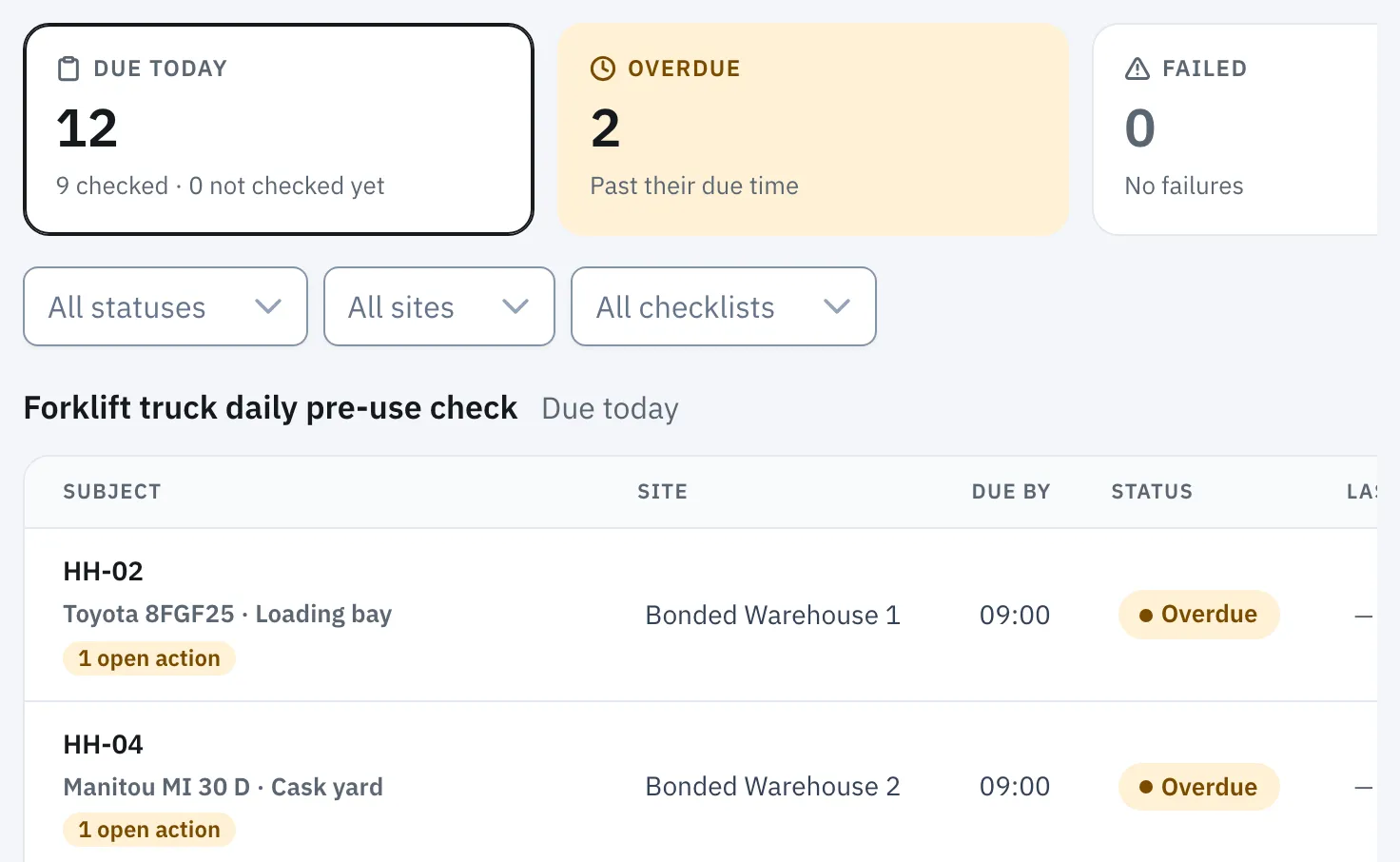
Scan to start a check
A printed QR label on each truck opens its pre-use checklist in the phone's browser, with nothing to install. Safety-critical items are flagged, and operators can add notes and photos.
See it in a demo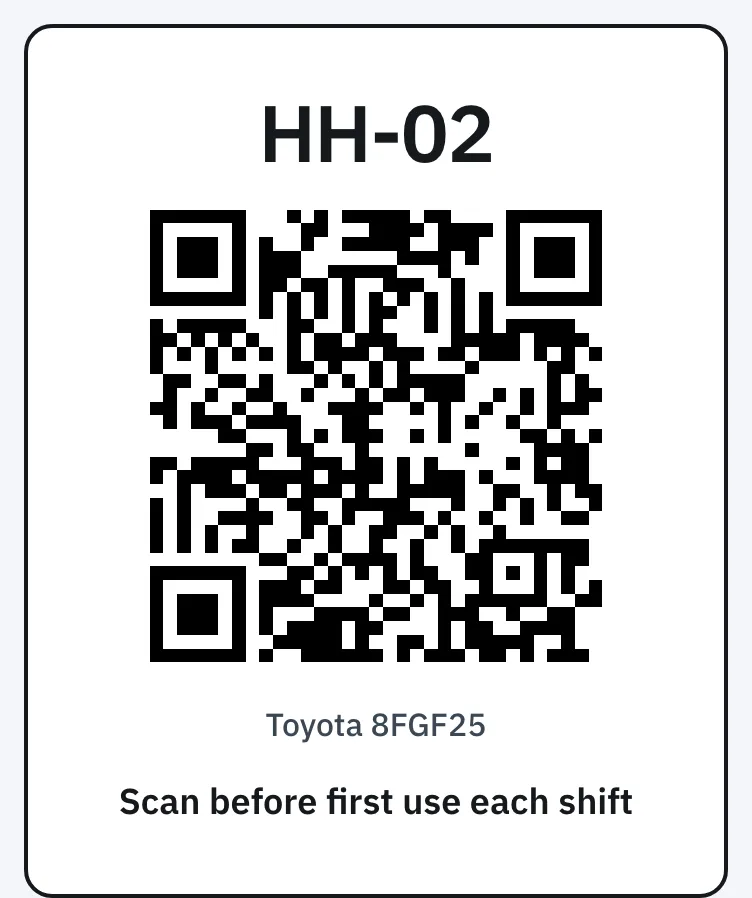
Failed items raise an action
When an item fails, an action is raised and linked to the check record. Managers assign it, set a priority and due date, and follow it through to completion.
See it in a demo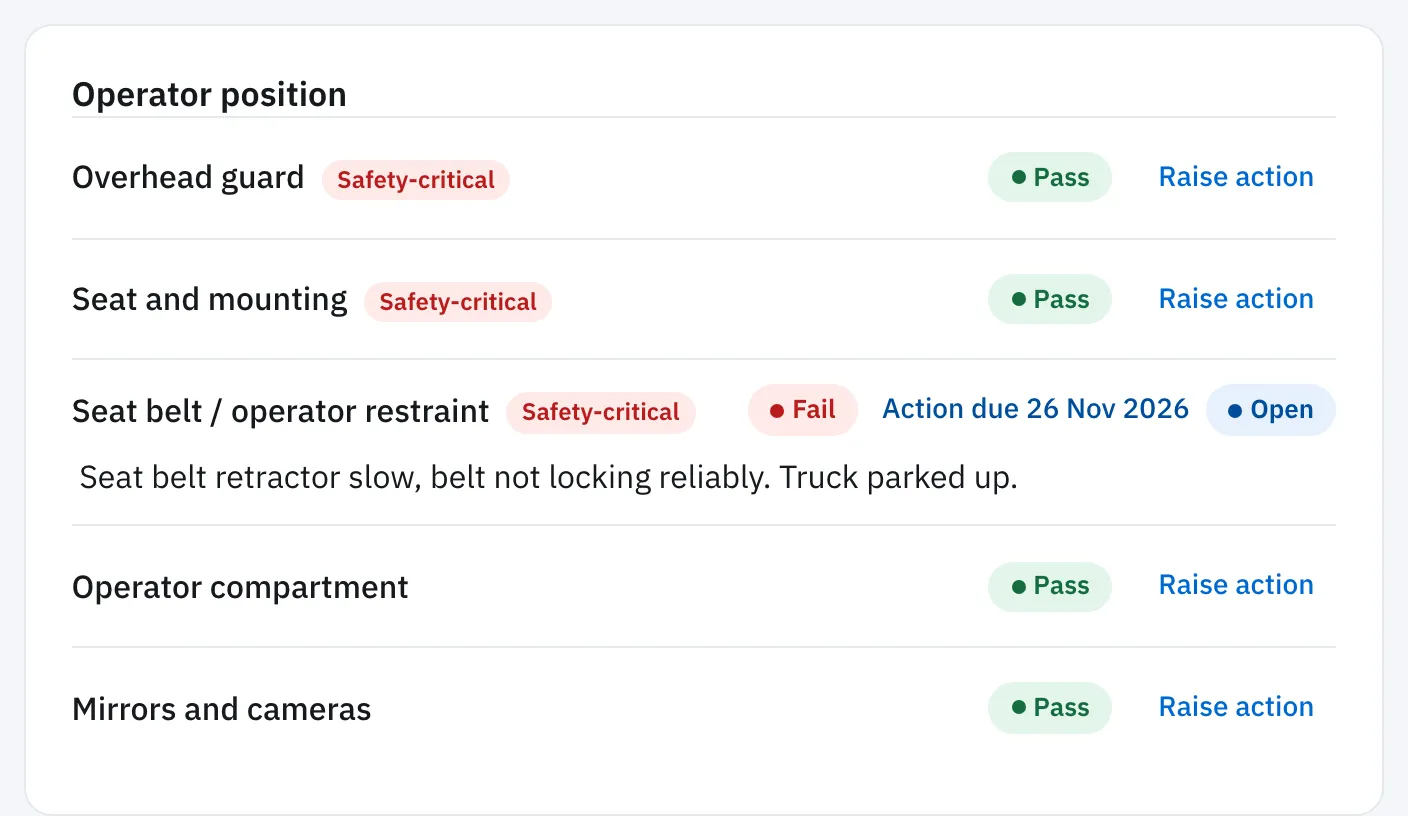
Every action has an owner
Assignees get an email, and managers receive a summary of overdue actions every weekday morning. Comments, files and the full history stay with each action.
See it in a demo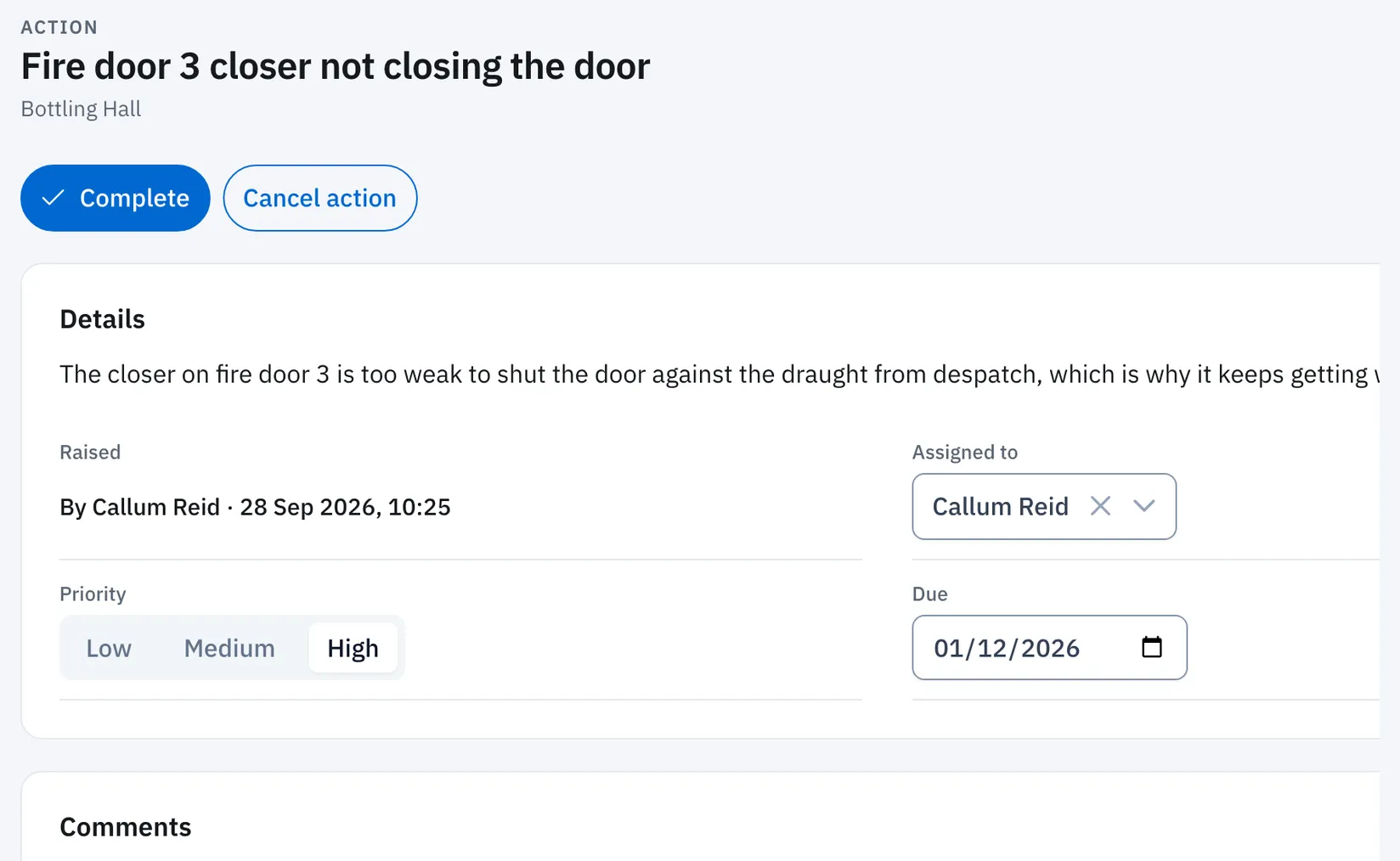
Equipment records in one place
View a truck's open actions and certificates alongside its check history, including missed checks.
See it in a demo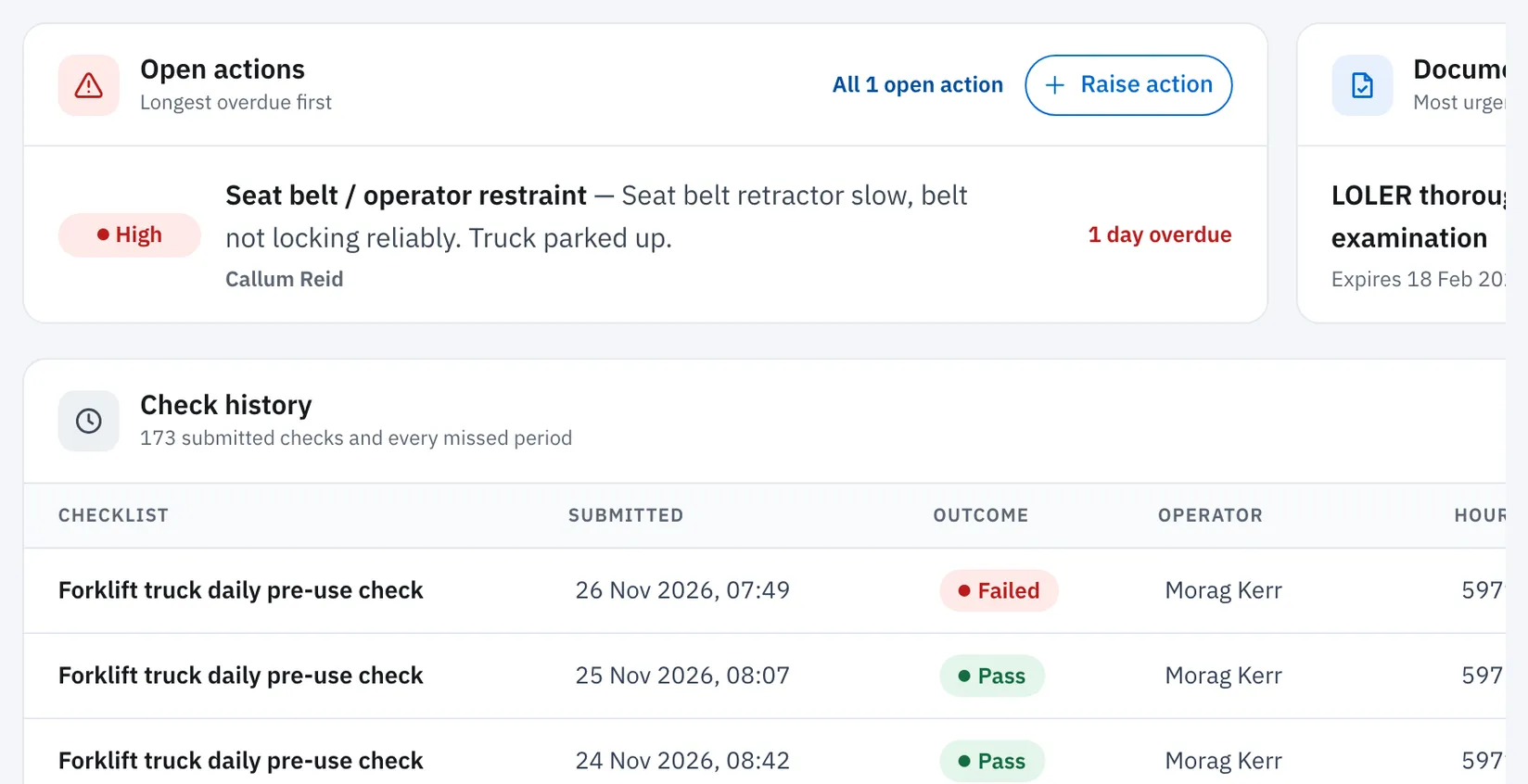
Renewal actions for certificates
Record insurance, LOLER, PAT, gas and fire certificates against your organisation, a site or a truck. HelloVerify raises a renewal action as each certificate nears expiry.
See it in a demo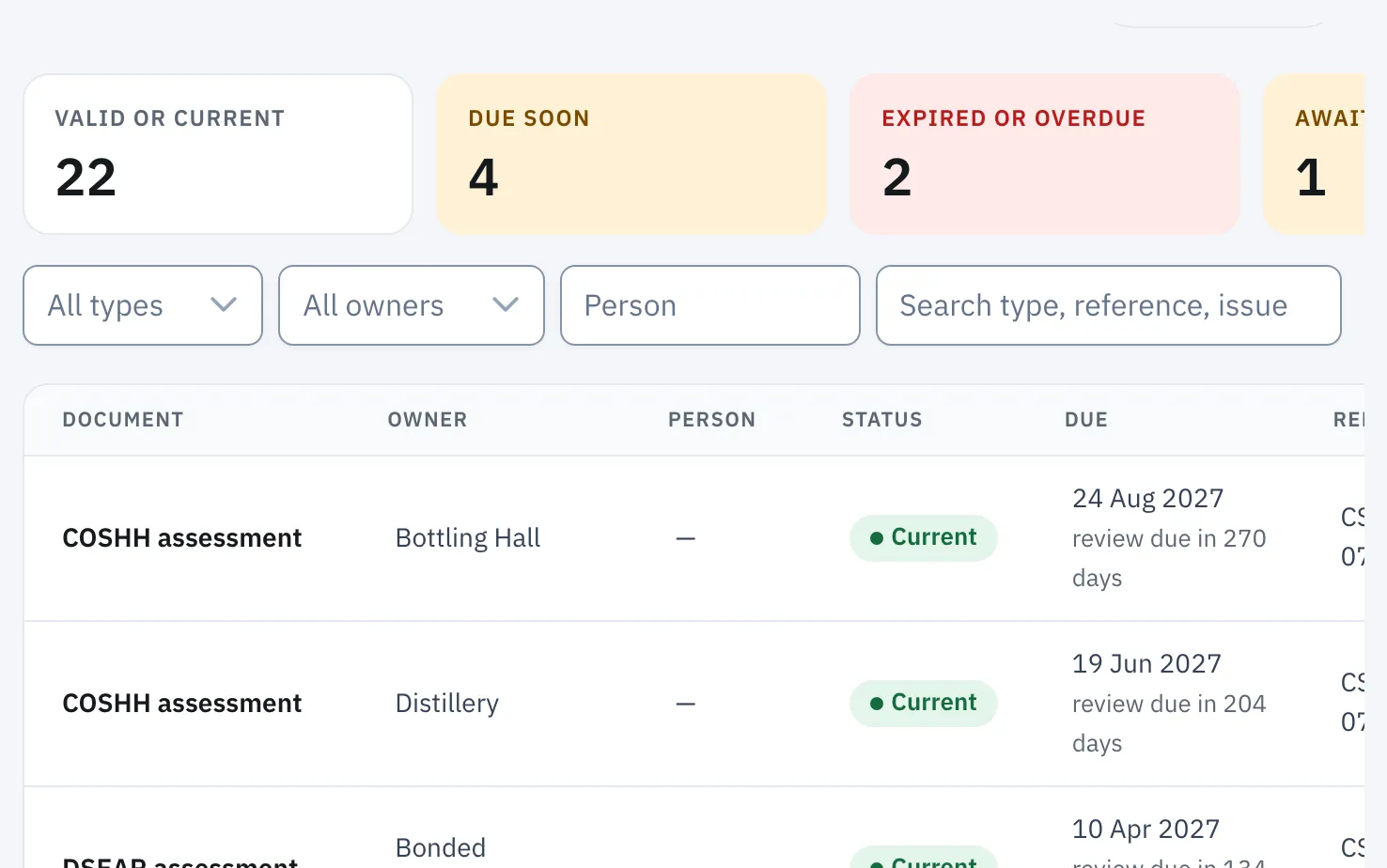
Dates in your calendar
See certificate expiries, review dates, scheduled checks and action due dates together. Subscribe to the calendar feed in Outlook or Google Calendar.
See it in a demo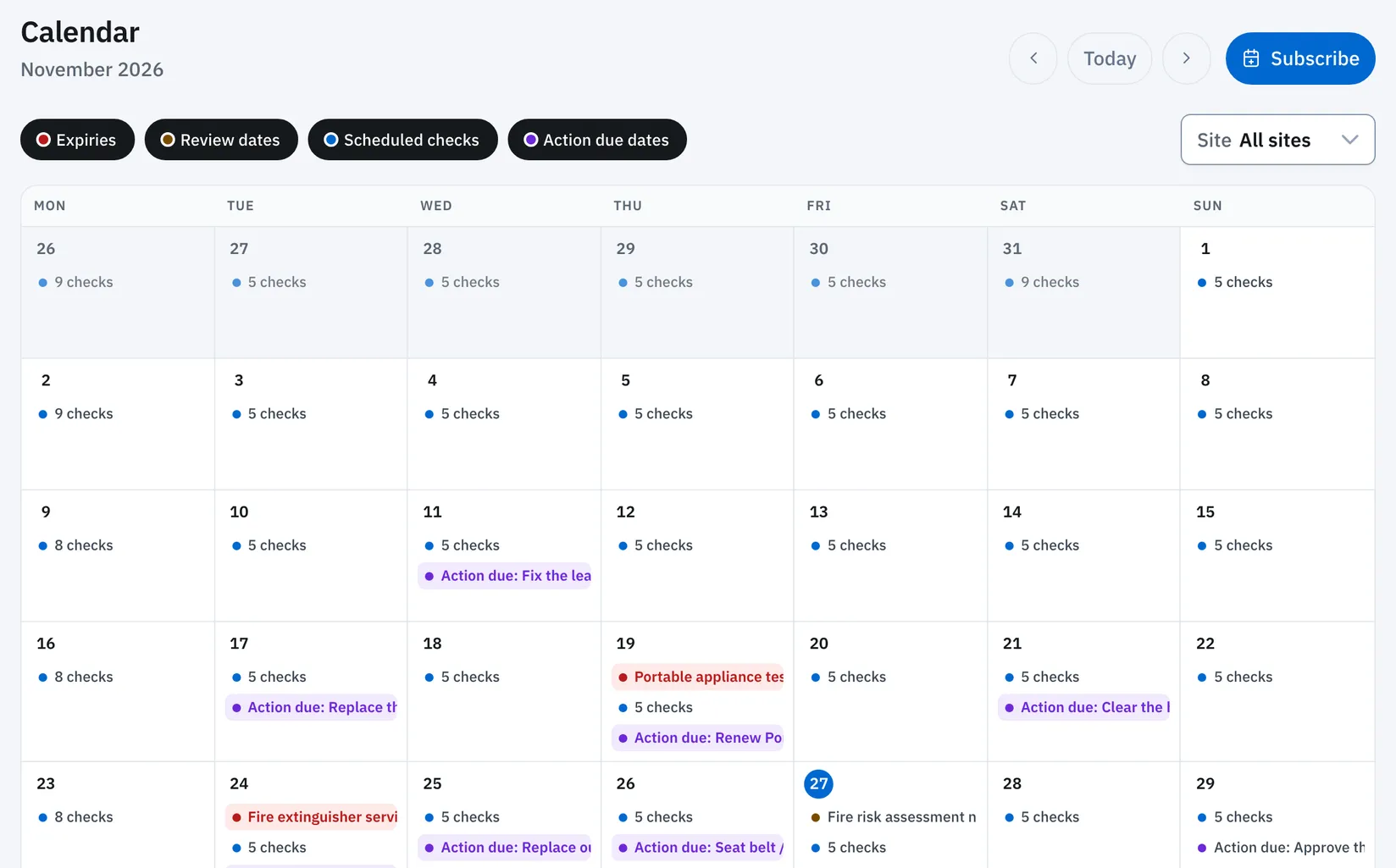
Check records and exports
Each submitted check is time-stamped, checksummed and locked, with the operator, device and checklist version recorded. Download any check as a PDF or export all checks to CSV.
See it in a demo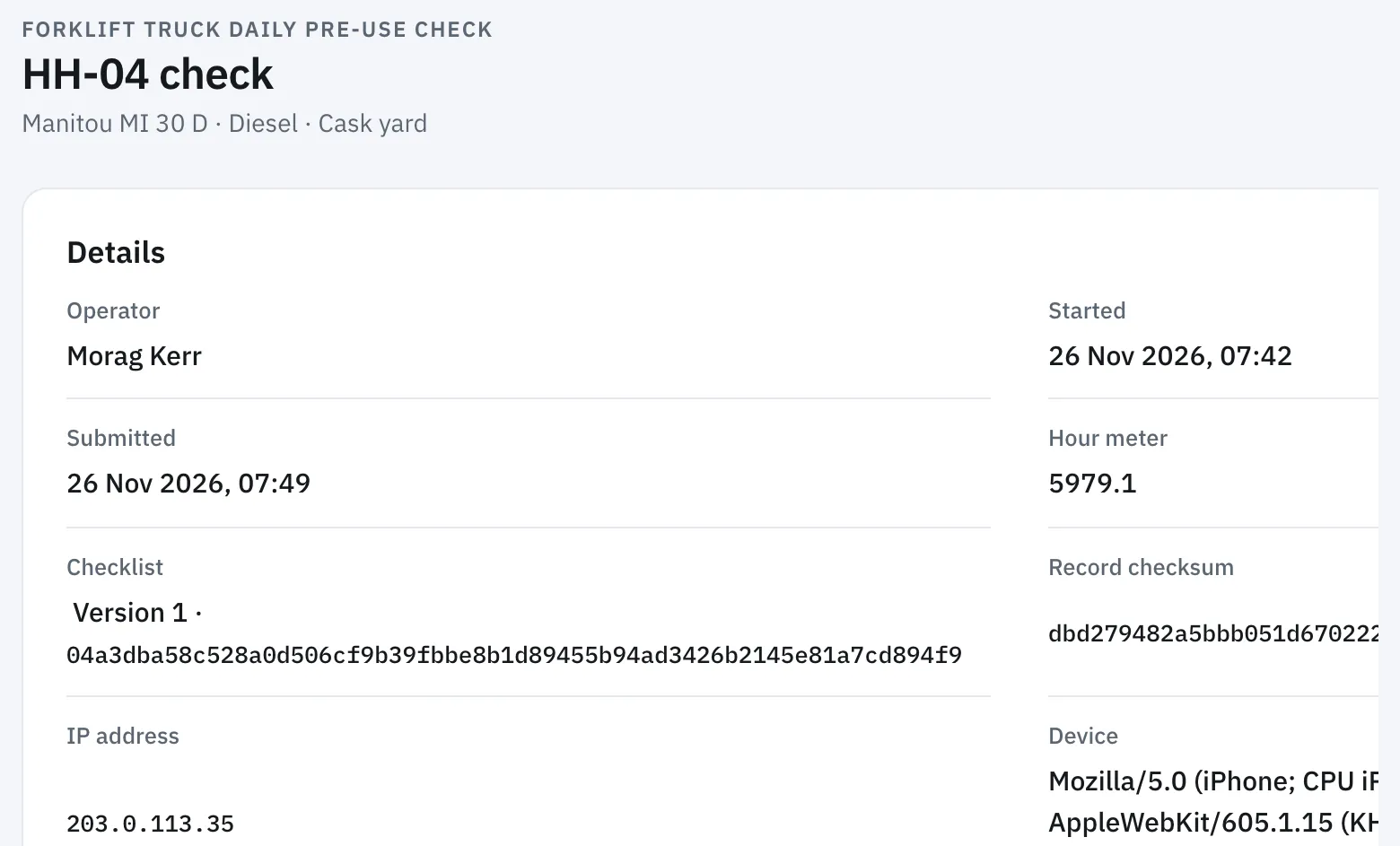
Document retention periods
Set how long each type of document is kept. HelloVerify lists documents past their delete-after date and keeps a record that they existed after deletion.
See it in a demo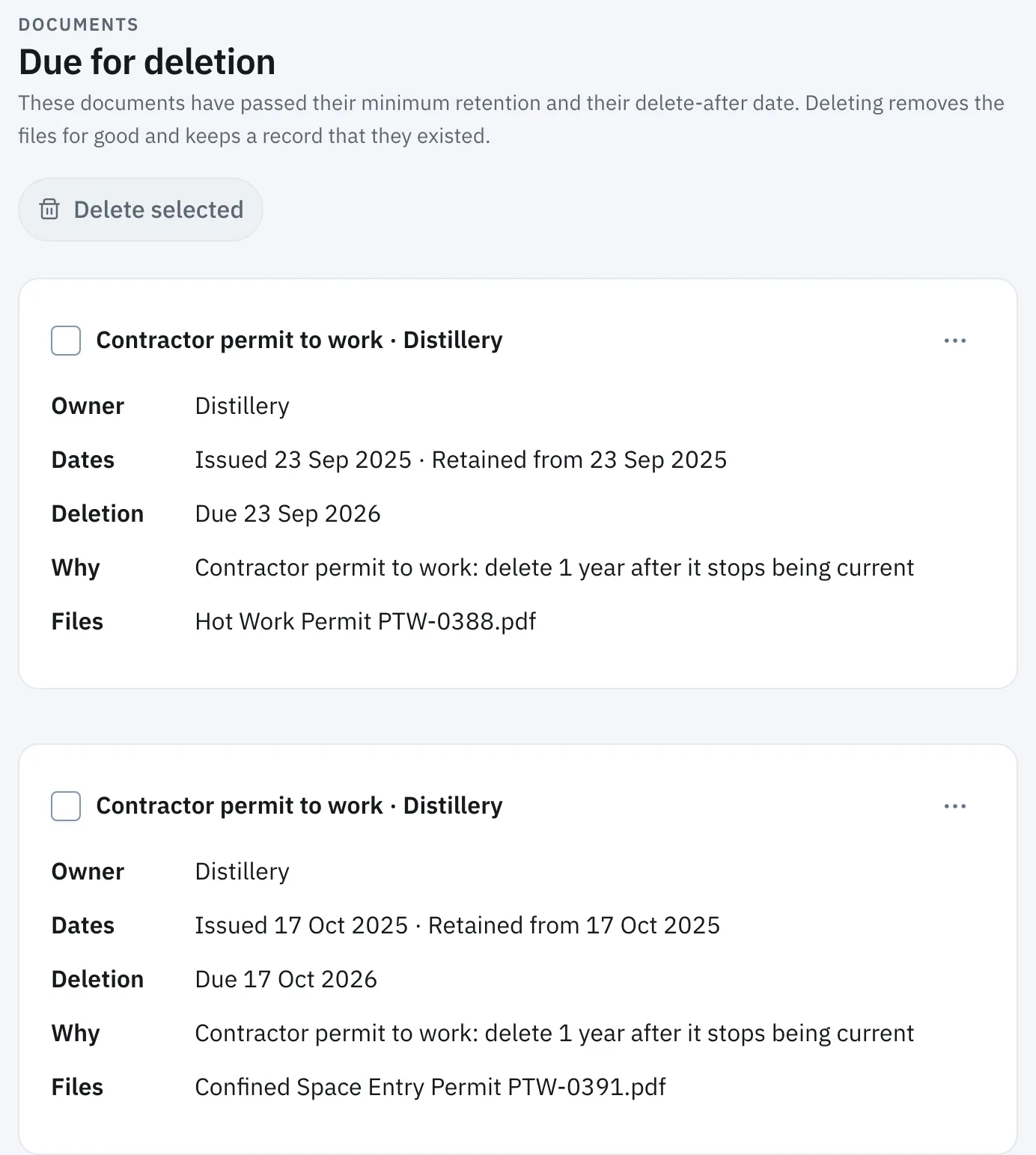
Say hello to your support team
Our UK-based team will show you how to use HelloVerify and help you set it up to work the way you need.

Usman Mansoor
Customer Service Advisor

Damian Rak
New Business Executive

Liam Lingard
Customer Success Executive
Book a guided demo
Request a guided demo of HelloVerify's scheduled checks, corrective actions and records.